Categories: AI Video Workflow, Creator Strategy, Production Process
Tags: veonano, ai creation studio, ai video workflow, content strategy, creator toolkit
Mastering the Art of the Prompt
We’ve all been there: you type a simple prompt like "a beautiful sunset on the beach" into an AI generator, only to receive a messy, distorted image that looks like a toddler’s crayon drawing. Meanwhile, professional creators are producing hyperrealistic coastal scenes with dramatic lighting and cinematic depth.
The difference isn't just luck—it's the architecture of the prompt. At VeoNano, we believe that "garbage in equals garbage out." To get the most out of GPT Image 2, you need to move past vague descriptions and embrace technical precision.
The Golden Rules of GPT Image 2 Prompting
Before diving into specific categories, understand the foundational principles that separate amateur results from pro-level art. High-quality prompting requires a balance of subject, environment, lighting, and technical camera settings. By standardizing your approach, you reduce the need for endless editing loops and make your creative output more predictable.
High-Impact Prompt Categories
Photorealistic Portraits
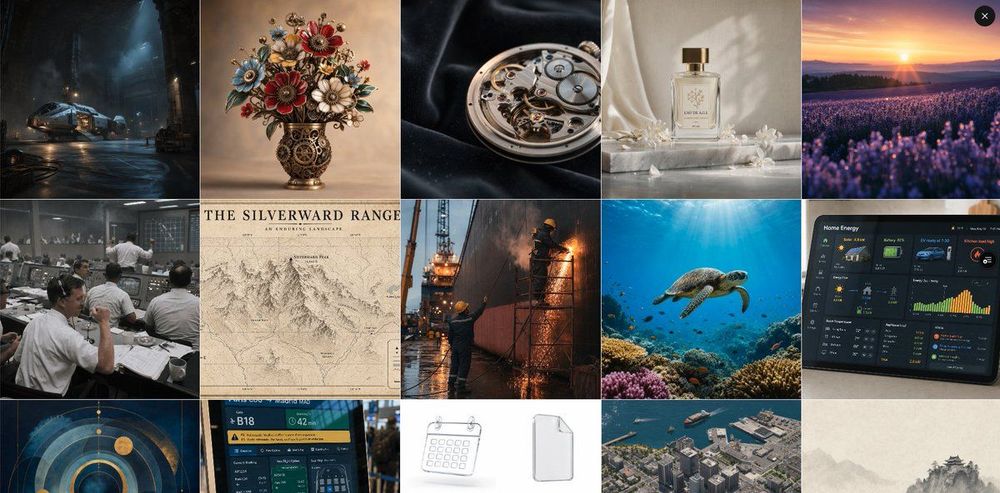
GPT Image 2 excels at human subjects, capturing skin textures, subtle facial expressions, and complex lighting with startling accuracy. To achieve this, focus your prompts on specific lens types (like an 85mm prime) and lighting conditions (such as Rembrandt lighting or soft natural glow).
Product Photography for E-commerce
For those selling on platforms like Amazon or Etsy, GPT Image 2 can generate studio-quality product shots. By describing the material of the product, the backdrop (e.g., "minimalist marble surface"), and the commercial lighting setup, you can create marketing assets that look professionally photographed.
UI and App Mockup Design
Designers can leverage the model for high-fidelity UI mockups. Unlike earlier models, GPT Image 2 understands layout and hierarchy, making it a production-ready tool for visualizing app interfaces and web dashboards before moving into the development phase.
Manga and Comic Panels
One area where GPT Image 2 significantly outperforms competitors like Midjourney is text rendering. It is now possible to generate readable manga panels where the dialogue and sound effects are actually legible. This opens up new possibilities for rapid storyboarding and indie comic creation.
Landscapes and Environments
To create immersive environments, use layered descriptions. For example: “A misty mountain landscape at sunrise over Patagonia, golden hour lighting with warm orange and pink hues, light fog in the valley, and a small winding river catching the morning light, shot on a 24mm wide-angle lens.”
The VeoNano Prompt Template
Use this go-to structure to ensure solid results 90% of the time: [Subject] + [Action/Pose] + [Environment/Background] + [Lighting Style] + [Camera/Lens Type] + [Artistic Style/Color Palette].
Pro Tip: Use Quotation Marks for Text
If your image requires specific text—like a brand name on a storefront or a headline on a poster—place that text inside quotation marks. This dramatically improves character-by-character accuracy in the final render.
From Image to Production Workflow
Generating the perfect image is only the first step. Whether you are building a character for a brand, a product shot for a store, or a landscape for a video background, the goal is to integrate these assets into a functional workflow.
- Define Objectives: Choose 2-3 prompt styles to master each week.
- Draft and Refine: Use the template to build your initial assets.
- Iterate: Compare different versions to see which lighting or camera settings perform best for your specific brand aesthetic.
- Scale: Once you find a prompt structure that works, save it as a preset to maintain visual consistency across your projects.
Conclusion
The most reliable way to scale your creative output is to standardize your production process. By mastering GPT Image 2 prompts, you move from "guessing" to "building." Keep your structures stable, iterate on the details, and scale the formats that deliver the best results.
Ready to take your creations further? Explore VeoNano workflow templates to streamline your AI production.
FAQs
1) Can this workflow work for a solo creator?
Absolutely. Start with a small weekly scope and use the prompt template to ensure your visual brand remains consistent without needing a full design team.
2) How many variants should I test per prompt?
Generating 2 to 4 focused variants is usually enough to identify which technical keywords (like lens types or lighting styles) are hitting the mark.
3) Should I prioritize trends or consistency?
While trends can help with initial reach, a consistent prompt system builds long-term brand recognition and makes your production much faster.