Mastering AI video requires moving beyond descriptive adjectives and into the language of cinematography. To get the most out of VeoNano, you must provide the model with a physical direction. This guide outlines the specific prompt formulas needed to control camera movement and physics for professional-grade results.
Quick Answer: How Do You Control Camera Movement?
To direct the camera effectively, use explicit technical language. Your prompt should define the shot type, the starting frame, the specific path of movement, and the lens behavior. For short clips, simplicity is your best friend—overcomplicating the motion often leads to visual artifacts.
The Essential Camera Vocabulary
Vague terms like "epic" or "cinematic" provide little guidance for the AI. Instead, use structural descriptions. A prompt like "Slow dolly push-in from waist-level to product close-up" provides a clear physical vector. By defining the "how" and "where," you ensure the movement feels intentional rather than accidental.
Mastering Directional Shots
Pan and Tilt
- Pan: This moves the camera horizontally from a fixed axis. Use it to reveal a product lineup or scan across a landscape. Always specify the start and end points (e.g., "Pan right from the laptop to the coffee cup").
- Tilt: This is your vertical reveal tool. It is perfect for showcasing tall architecture, full-body fashion, or a dramatic "hero" reveal of a product from base to top.
Push-In vs. Zoom
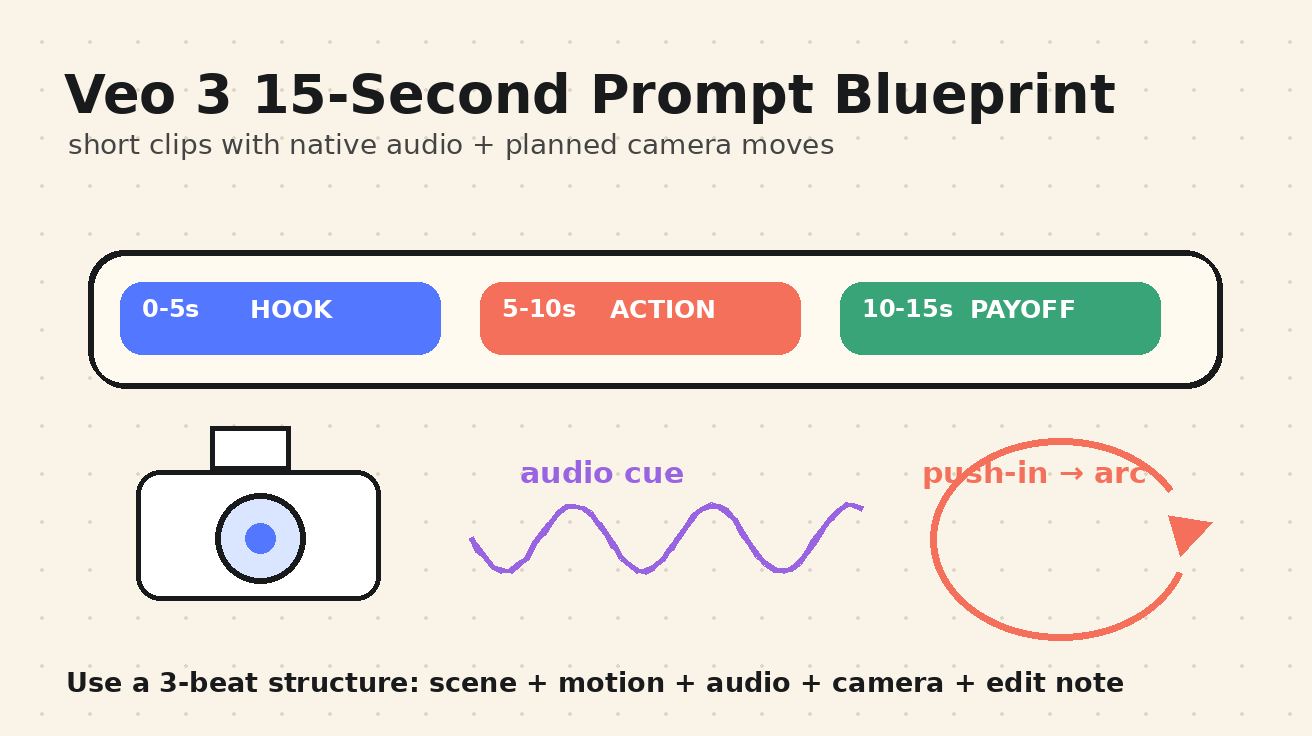
While they look similar, a dolly push-in moves the camera through space, creating a more natural sense of depth. This is the "safest" move in AI video, adding energy to static subjects like dashboards or food. A zoom changes the focal length; if you use it, specify the style—such as "dramatic documentary zoom"—to avoid a flat, artificial look.
Orbit and Tracking
- Orbit: These shots circle a subject to create a premium feel. To maintain consistency, use image references and consider partial orbits (180 degrees) rather than full 360s to prevent the subject's details from "drifting."
- Tracking/Handheld: Use these for lifestyle and behind-the-scenes content. Handheld prompts add a layer of realism and urgency that feels authentic to creator-style media.
Physics-Aware Prompting
Viewers instinctively notice when objects lack weight. To ground your scenes in reality, prompt for physical interactions:
- Shadows: Ensure products cast realistic shadows on their surfaces.
- Materials: Specify that fabric should ripple in the wind or water should splash downward.
- Weight: Objects should slide or rest on surfaces, never float aimlessly.
Proven Shot Recipes
Use these formulas as a starting point for your next VeoNano project:
- The Commercial Reveal: "6-second shot. Start close on soft fabric texture, slowly tilt up to reveal the product on a clean pedestal. Subtle push-in, premium studio lighting, realistic shadows, no label distortion."
- The UI Showcase: "5-second locked-off shot of a tablet on a desk. Camera remains stable while three UI cards animate into place. Soft top light, clean reflections, readable interface."
- The Culinary Hero: "6-second slow push-in on a plated dessert. Steam and light reflections move naturally. Shallow depth of field, warm restaurant ambience, realistic textures."
Review Checklist & Common Mistakes
Before hitting generate, check your prompt for these common pitfalls:
- Avoid "Mood" Words: Replace "beautiful" with specific lighting or lens descriptions.
- Check the Path: Is the start and end point of the camera clear?
- Simplify Motion: If the subject is moving fast, keep the camera movement slow (and vice versa) to maintain visual clarity.
Conclusion
Standardizing your camera language is the fastest way to scale high-quality video production. By treating the AI like a professional camera op, you move from "guessing" to "directing."
Explore more at VeoNano.
FAQs
Can this workflow work for a solo creator? Absolutely. By using these standardized blocks, you can produce consistent, high-quality content without a full production crew.
How many variants should I test per post? We recommend 2 to 4 focused variants. This allows you to identify which camera movements resonate best with your specific subject matter.
Should I prioritize trends or consistency? Consistency builds brand memory. Use trending topics for reach, but keep your visual language and camera style consistent to maintain a professional identity.
Media References
- https://cdn.veonano.com/blog/veo-3-camera-control-prompts-2026/20260505071614-h2vyggko.jpeg
- https://cdn.veonano.com/blog/veo-3-camera-control-prompts-2026/20260505071615-orut8gdh.jpeg
- https://cdn.veonano.com/blog/veo-3-camera-control-prompts-2026/20260505071616-p2msft9o.jpeg
- https://cdn.veonano.com/blog/veo-3-camera-control-prompts-2026/20260505071617-k9fc9yth.jpeg