Categories: AI Video Workflow, Creator Strategy, Production Process
Tags: veonano, ai creation studio, ai video workflow, content strategy, creator toolkit
Introduction
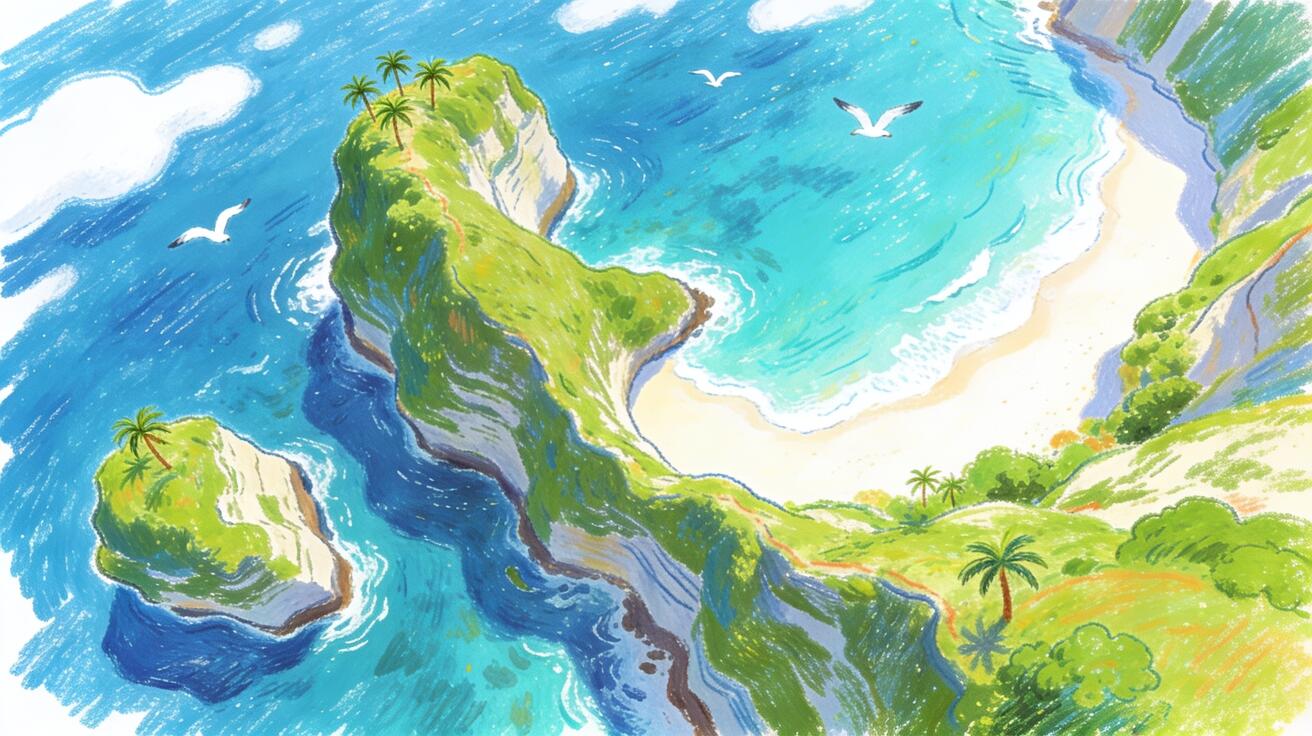
Drone-style AI video prompts need more than the word drone. Camera vocabulary, movement, subject scale, environment, lighting, and troubleshooting are the variables that make an aerial shot feel intentional instead of like a random floating camera.
Use VeoNano to build aerial clips from a shot brief. Name the move, anchor the subject, set the speed, define the scene, and include the moment of reveal so the generated camera motion supports the story.
Aerial Prompt Framework
1) Why Use Veo 3 for Aerial and Drone-Style Shots
Real drone footage has significant logistics: a licensed operator, location permits in most countries, weather dependency, and safety restrictions around populated areas.
Keep each VeoNano aerial test to one camera idea so the motion reads cleanly in the final edit.
2) Core Drone Shot Vocabulary
This is the signature aerial move: start close and pull back to reveal the scale of the environment. It works for landscapes, architecture, and any subject where the "big picture" is the point.
Name the camera move explicitly. A pull-back reveal, orbit, tracking shot, and flyover create very different viewer expectations.
3) Drone Shot Prompt Templates
The orbit shot circles the subject, revealing all sides. It works for any isolated subject: a building, a natural formation, a ship, a stadium.
Name the camera move explicitly. A pull-back reveal, orbit, tracking shot, and flyover create very different viewer expectations.
4) Environment-Specific Aerial Prompt Examples
The drone tracks forward at altitude, conveying travel and distance. Good for opening title sequences, destination content, and any narrative that benefits from a sense of movement.
Add time of day, weather, terrain, and subject scale so the aerial movement has believable context.
5) Combining Drone Shots with Other Content
The drone descends toward a subject, placing the viewer into the scene. Good for arrival sequences and location reveals.
Keep each VeoNano aerial test to one camera idea so the motion reads cleanly in the final edit.
6) Platform-Specific Drone Shot Applications
Bird's-eye aerial view of a major city at dawn, camera slowly drifting forward at 500 meters altitude. City lights still on from the night, sunrise beginning to pink the eastern sky. Cool morning light with warm eastern horizon. City ambient at altitude, distant traffic hum.
Keep each VeoNano aerial test to one camera idea so the motion reads cleanly in the final edit.
7) Lighting in Aerial Shots
Drone tracks forward at 200 meters altitude through a snow-covered mountain valley in winter. Pine forest on both sides, a frozen river visible below, mountain peaks ahead. Overcast diffuse winter light. Wind, snow ambient, complete silence below.
Add time of day, weather, terrain, and subject scale so the aerial movement has believable context.
8) Troubleshooting Common Aerial Prompt Failures
High-altitude aerial view of a river winding through a broad agricultural valley. Drone tracks slowly forward following the river's course. Farmland on both sides, small bridges visible. Clear afternoon light, slight atmospheric haze in the distance. Wind, distant water ambient.
Reject shots where the subject warps, altitude feels impossible, or the camera changes direction without motivation.
9) QA Checklist for Veo 3 Drone Shots
Drone shots are most effective as part of a content sequence, not in isolation. Common patterns include opening reveals, location transitions, scale-setting shots, and final hero moments before a closer product or subject cut.
Reject shots where the subject warps, altitude feels impossible, or the camera changes direction without motivation.
10) Conclusion
Real estate video benefits significantly from aerial context. A property's relationship to its surroundings — nearby water, parks, city center proximity, neighborhood layout — is difficult to convey at ground level but immediately apparent from the air.
Keep each VeoNano aerial test to one camera idea so the motion reads cleanly in the final edit.
Practical Weekly Workflow
- Choose the camera move: pull-back reveal, orbit, tracking shot, flyover, crane-up, or descent.
- Name the subject and environment with scale cues, such as a coastal hotel, mountain road, sports field, or city rooftop.
- Set speed and mood so the model knows whether the motion should feel calm, commercial, dramatic, or documentary.
- Generate variants in VeoNano with one movement changed at a time.
- Keep the version with clean subject continuity, believable altitude, and no distracting geometry drift.
Conclusion
Strong aerial prompts behave like miniature shot lists. When camera move, subject, speed, and environment are all explicit, VeoNano can produce drone-style footage that feels planned rather than accidental.
Next Step
Explore VeoNano workflow templates: https://veonano.com
FAQs
What is the most useful drone prompt pattern?
Use this order: camera move, subject, environment, speed, lighting, and final reveal. That gives the model both motion and purpose.
Why do some AI drone shots feel unstable?
The prompt often lacks a fixed subject or clear end frame. Add a target object, specify the direction of movement, and avoid asking for too many camera moves in one clip.
Can I combine drone shots with product or real estate videos?
Yes. Use aerial shots as openers, transitions, or reveal moments, then cut to closer product, property, or lifestyle scenes for detail.